Which MacBook Should You Buy in 2026? Honest Pick Guide
TL;DR — 5 users, 5 answers
- Tight budget, first Mac → MacBook Neo 13"
- Daily use, want thin & new → MacBook Air M5 13"
- Video editing / AI workloads / heavy creative → MacBook Pro 14" M5
- Student with valid ID → ask about student plan (WhatsApp for details)
- Very tight budget → second-hand can work, but do your homework
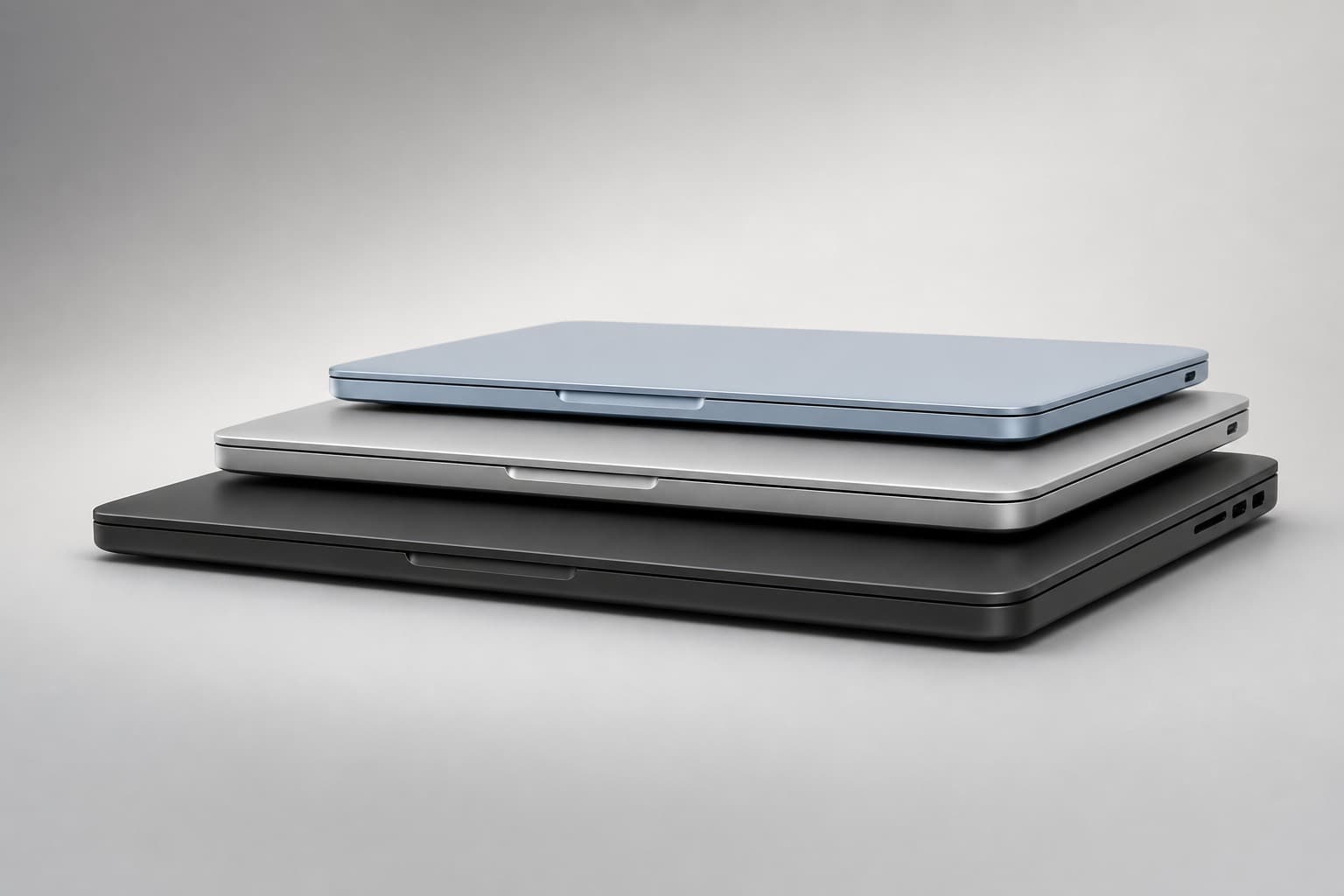
Three current models, line by line
MacBook Neo 13" — Entry-level, not entry-quality
Neo is Apple's new entry-level MacBook — 13" Liquid Retina display, ~1.2kg, almost weightless in a backpack.
Chip is Apple A18 Pro (same-generation iPhone flagship chip), not the M series. For Office, Google Workspace, Zoom, multi-tab Safari, Notion — more than enough. But 4K editing, local AI models, 3D rendering — Neo is not built for that. Don't force it.
Four colours — Silver, Blush, Citrus, Indigo — the most expressive palette in any MacBook line so far. Students who pick Blush or Citrus stand out.
Monthly from RM117/month (JCL 36-month plan). WhatsApp +6010-325 1033 to check stock.
MacBook Air M5 13" — The default answer for 2026
Unless you have an extreme need, Air M5 is the default answer this year.
M5 chip in a fanless body — Figma open, light Final Cut edits, a dozen tabs — all smooth. Battery rated 18 hours, realistic heavy-use 12–14 hours — a full day out without the charger is honestly possible. 13.6" Liquid Retina, 500 nits, accurate colour.
Memory up to 24GB, storage up to 1TB — ceiling much higher than Neo.
Versus Pro: throttles on long renders, only 2 Thunderbolt ports, 60Hz display (not ProMotion 120Hz).
Monthly from RM206/month (JCL 36-month plan, 512GB config).
MacBook Pro 14" M5 — Not a flagship, a practical pro
Pro 14 runs Apple M5 (10-core CPU + 10-core GPU), not M5 Pro — many people get this wrong, so we say it plainly. Versus Air: active cooling, Liquid Retina XDR (mini-LED) display, fuller port lineup.
Two biggest differences: higher peak brightness, no throttle under sustained load. 4K edits, local large AI models, architectural renders — Pro stays stable, Air slows down after a while.
HDMI + SD slot on the right side — plug an external monitor or read a camera card with no dongle.
Who should buy: video editors, audio engineers, local AI developers, anyone with 2–3 external peripherals on the desk.
Monthly from RM290/month (JCL 36-month plan, 512GB config).
How to choose? Walk through these
- Main use? Documents + web + meetings → next step; Editing / coding / AI → straight to Pro 14.
- Budget tight? Tight → Neo 13"; Not tight → Air M5.
- Need sustained heavy load? Yes → Pro 14; Occasionally → Air M5 handles it.
Still unsure? WhatsApp +6010-325 1033, tell us what software and what budget — 5 minutes to lock in the right model.
FAQ
Which is the cheapest MacBook in 2026?
MacBook Neo 13" (256GB), monthly from RM117/month (JCL 36-month plan). The cheapest in the current MacBook line — performance is enough for daily documents, browsing and video calls.
What is the MacBook Neo? I don't see it on Apple's site.
Neo is Apple's 2026 entry-level 13" MacBook, more affordable than Air — aimed at students and light users. Its chip is Apple A18 Pro (same-generation iPhone flagship chip), not M series. Available through Malaysia's official retail channels. AnsuranPhone carries stock — WhatsApp +6010-325 1033 to check.
First-time MacBook buyer — which one?
If budget allows, Air M5 is the safest pick — battery, display, smoothness are all Apple's mainline standards. Tight budget? Neo 13" is enough to experience macOS. The Pro line is overkill for casual users — upgrade only when you actually need it.
Second-hand or financed brand new — which?
Depends on the risk you accept. Second-hand is cheap but no warranty, unknown battery health, hard-to-verify origin. Financed new gets a one-year Apple warranty, manageable monthly, full after-sales. If going second-hand: inspect in person, check serial number, choose a reputable seller.
What's the difference between Air M5 and Pro 14" M5?
Three things: (1) Pro has active cooling (no throttle), Air is fanless and will throttle; (2) Pro's Liquid Retina XDR is brighter and 120Hz ProMotion; (3) Pro has HDMI + SD slot built in. Same M5 generation — the gap shows only under sustained heavy work.
Any student plan?
We run a student-only installment plan. Monthly and conditions are case-by-case — details are not published. Students should WhatsApp +6010-325 1033 with university name, target model and budget. See also the student page at /ansuran/pelajar.
Want a quote? WhatsApp +6010-325 1033 — tell us your use case and budget, 5 minutes to match the right model.